
Best SIM Card, eSIM or Pocket WiFi for Korea? (2026 Tourist Guide)
By Richelle (JustKTravel) • Updated July 2026
Table of Contents
ToggleWondering how to stay connected during your Korea trip?
Having reliable internet makes traveling around South Korea much easier. Whether you’re exploring Seoul, finding restaurants in Busan, checking subway routes, translating Korean signs, or booking tickets, mobile data will save you time and stress.
When I first visited Korea as a traveler, I was always worried about getting lost or not being able to communicate. After traveling around Korea many times — and now living here — I’ve learned that having internet ready from the moment you arrive makes your first day much smoother.
Before your trip, I also recommend downloading a few essential Korea travel apps for navigation, translation, and transportation.
👉 15 Essential Apps to Download Before Your Korea Trip (2026 Tourist Guide)
The good news is that staying connected in Korea is easy. Most tourists choose between:
- eSIM – the easiest option for most travelers
- Physical SIM card – a reliable choice for phones without eSIM support
- Pocket WiFi – best for families and groups sharing one connection
In this guide, I’ll compare SIM card vs eSIM vs Pocket WiFi in Korea, including convenience, cost, setup, and which option I personally recommend.
Quick Answer: Which Internet Option Is Best for Korea?
If you want the simple answer:
Traveler | Best Option |
Solo traveler | ✅ eSIM |
First-time visitor | ✅ eSIM or tourist SIM |
Couple | ✅ eSIM or Pocket WiFi |
Family/group | ✅ Pocket WiFi |
Older phone | ✅ Physical SIM card |
Short trip (3–10 days) | ✅ eSIM |
For most travelers visiting Korea in 2026, I recommend an eSIM if your phone supports it.
You can set it up before your flight, connect as soon as you land, and avoid waiting at airport counters after a long journey.
Your choice also depends on your itinerary. If you’re mainly exploring Seoul, an eSIM is usually enough. For longer trips covering places like Busan or Jeju, having reliable internet makes transportation, maps, and travel planning much easier.
If you’re still deciding where to stay:
📍 Seoul: Best Areas to Stay in Seoul for First-Time Visitors (2026 Guide)
🌊 Busan: Best Areas to Stay in Busan for First-Time Visitors (2026 Guide)
🌿 Jeju: Best Areas to Stay in Jeju for First-Time Visitors (2026 Guide)
My Experience Using Internet Options in Korea
Before moving to South Korea, I visited Korea several times as a tourist and tried different ways to stay connected, including airport WiFi, physical SIM cards, and eSIMs.
While Korea has excellent free WiFi in many places, I found that relying only on public WiFi was not always convenient when exploring outside. There were many times when I needed directions, restaurant information, or subway updates while walking around Seoul.
Having mobile data made everything easier. I could quickly open Naver Map or KakaoMap, translate Korean signs, check transportation routes, and contact my accommodation without searching for WiFi.
Later, I started using an eSIM because it solved one of the biggest travel problems — getting connected immediately after landing.
After a long flight to Incheon Airport, the last thing most travelers want is to wait in line, look for a SIM counter, or set up a new connection while carrying luggage.
With an eSIM, I could prepare everything before my flight and start using the internet as soon as I arrived.
It allowed me to:
- Check directions to my accommodation
- Use navigation apps
- Translate Korean menus and signs
- Check subway and transportation information
- Stay connected with family and friends
Now that I live in Korea, I have more options available, but for most tourists visiting for a short trip, I still think an eSIM is one of the easiest choices.
My biggest tip for first-time visitors is to prepare your arrival plan before landing. Your first few hours in Korea can feel overwhelming after a long flight, especially when you need to find transportation or reach your hotel.
Before arriving, save your accommodation location and plan your airport transfer from Incheon Airport in advance.
👉 How to Get from Incheon Airport to Seoul (2026 Guide to Airport Transfer Options)
If you’re looking for accommodation, choose based on location and transportation, not just price. Myeongdong, Hongdae, and Insadong are great choices for first-time visitors.
Option 1: Use an eSIM in Korea (Best Overall Choice)
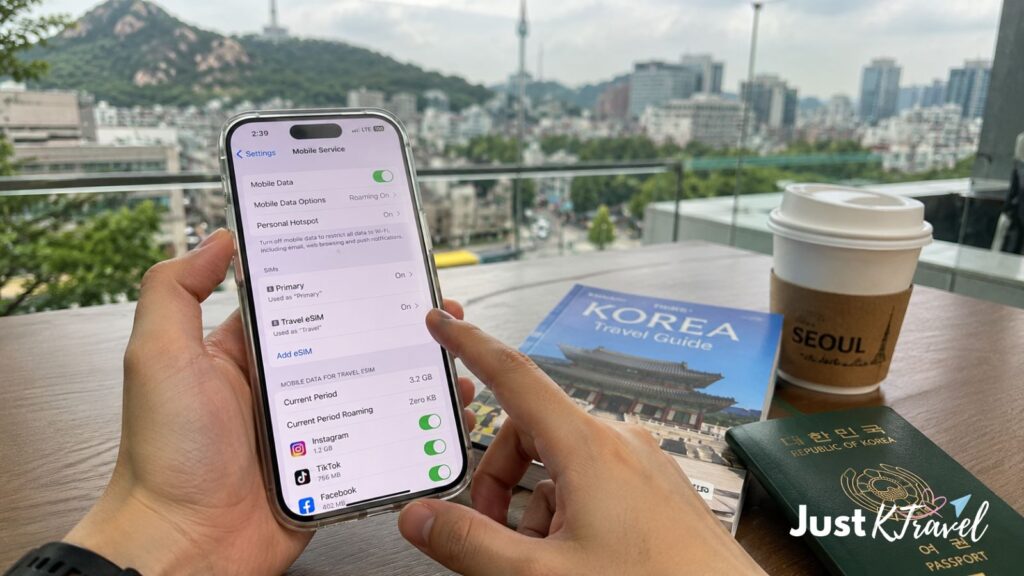
A Korea eSIM is one of the easiest ways to stay connected during your trip. Instead of buying and inserting a physical SIM card, you can purchase a plan online, set it up before your flight, and activate it when you arrive in Korea.
For many travelers, this is the most convenient option — especially after a long flight when you just want to get to your hotel and start exploring.
When I traveled around Korea alone, I found eSIMs especially helpful because I could immediately check directions, contact my accommodation, and use travel apps without searching for WiFi.
If you are traveling solo, choosing the right area to stay also makes your first trip much easier:
👉 Where to Stay in Seoul Alone (2026): Best Budget Solo Accommodation Guide
Why Choose an eSIM for Korea?
✅ Set It Up Before Your Flight
The biggest advantage of an eSIM is convenience.
You can prepare everything before leaving home, so you already have internet access when you arrive at Incheon Airport.
✅ Keep Your Original SIM Card
With a physical SIM card, you need to remove your home SIM and keep it safe.
With an eSIM:
Your original SIM stays in your phone
You can keep your home number active
There is no tiny SIM card to lose
✅ Perfect for Korea Travel Apps
Most visitors use mobile data for:
Naver Map and KakaoMap
Papago translation
Kakao T taxi
Subway directions
Restaurant searches
Online bookings
Having the internet makes exploring Korea much easier, especially when navigating unfamiliar places.
Who Should Choose an eSIM?
A Korea eSIM is best for:
✅ Solo travelers
✅ First-time visitors
✅ Short trips (3–10 days)
✅ Travelers arriving late at night
✅ iPhone and newer Android users
✅ Anyone who wants the easiest setup
Before Buying a Korea eSIM, Check These Things
Before purchasing, make sure:
1. Your Phone Supports eSIM
Most newer phones support eSIM, including many recent:
iPhone models
Samsung Galaxy models
Google Pixel models
2. Your Phone Is Unlocked
Your phone must be unlocked to use a Korean eSIM provider.
3. Choose the Right Plan Duration
Check the activation period before buying.
Common options include:
3 days
5 days
10 days
30 days
Choose a plan based on your actual travel dates.
Recommended Korea eSIM Option
If you prefer having everything ready before your flight, you can compare Korea eSIM options online before arriving.
👉 Check Korea eSIM options on Klook
Many travelers activate their eSIM before departure and connect shortly after landing at Incheon Airport.
eSIM Pros and Cons
Advantages | Disadvantages |
No airport pickup needed | Requires compatible phone |
Activate before arrival | Some older phones cannot use it |
Keep your physical SIM | Cannot easily transfer between phones |
Great for solo travelers | Usually for one device only |
Quick and convenient | Setup may feel unfamiliar for first-time users |
Richelle’s Recommendation:
For most tourists visiting Korea in 2026:
Choose an eSIM if your phone supports it.
It saves time, reduces stress, and lets you start your Korea adventure immediately after landing.
Option 2: Buy a Physical SIM Card in Korea (Reliable Choice)
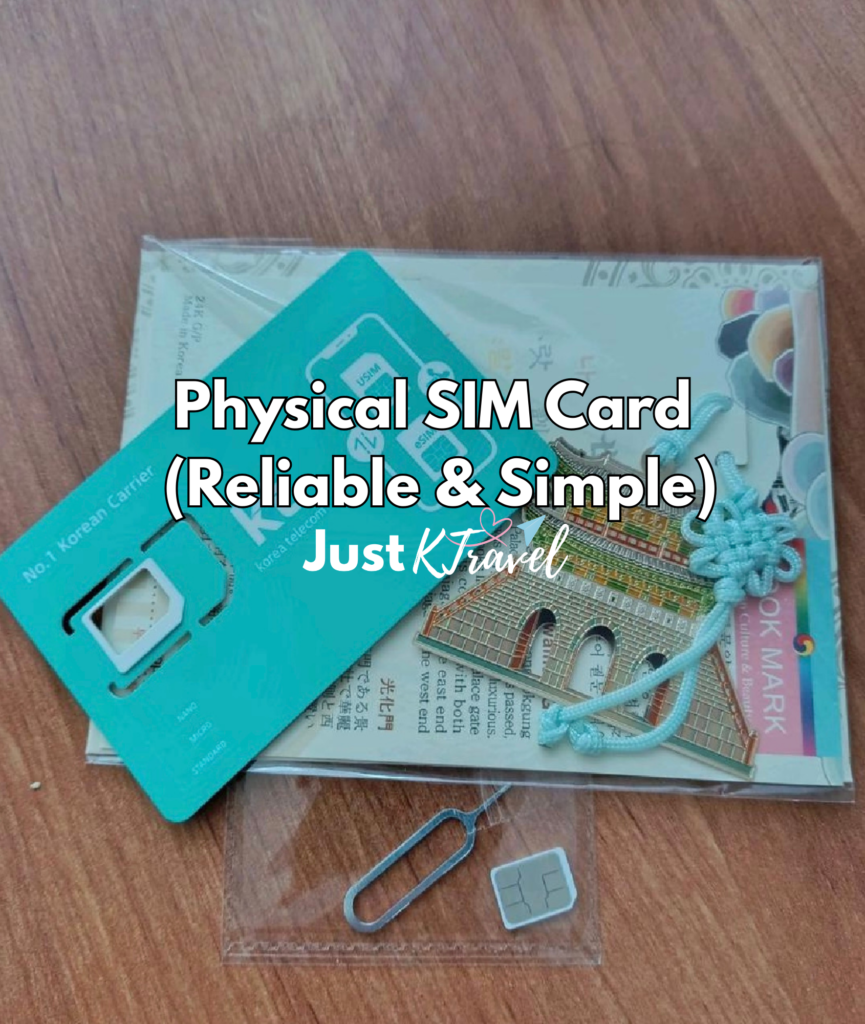
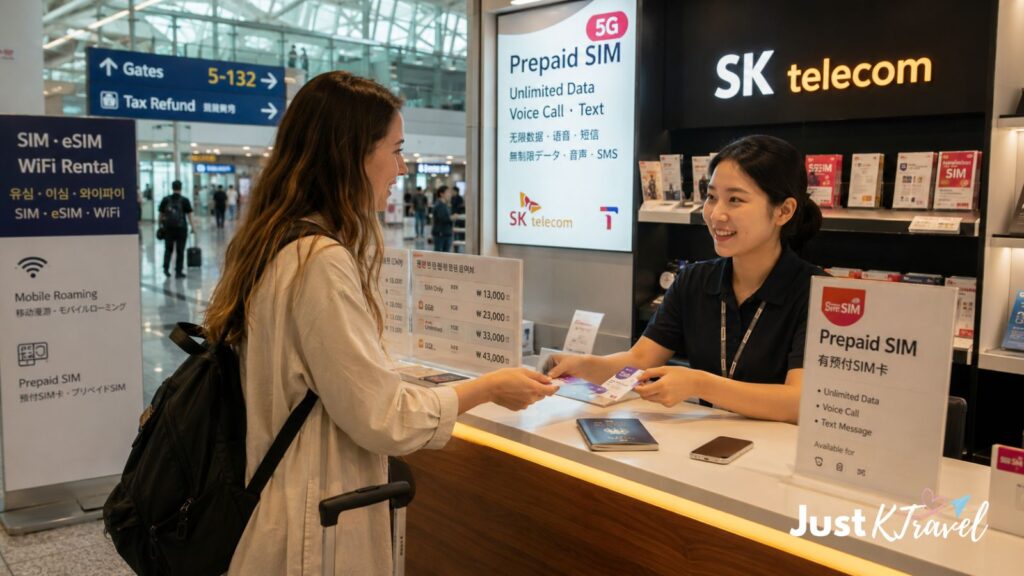
A physical SIM card is still a popular option for many tourists visiting South Korea. You can purchase one online before your trip and pick it up at Incheon Airport, or buy one after arriving.
When I first traveled to Korea, physical SIM cards were the most common choice for visitors. They are still a reliable option today, especially for travelers with older phones or those who prefer a traditional setup.
Korea has excellent mobile coverage across popular destinations like Seoul, Busan, and Jeju. If you are traveling between cities, reliable internet is useful for checking transportation, KTX schedules, and navigation.
👉 Incheon Airport to Busan: Complete Transportation Guide (2026)
Why Choose a Physical SIM Card?
✅ Works with more phones
Not all devices support eSIM, so a physical SIM card can be a safer choice for older smartphones.
✅ Simple setup
Just insert the SIM card, follow the instructions, and start using mobile data.
✅ Unlimited data options
Many tourist SIM cards include unlimited data plans, which are useful for:
Maps and navigation
Translation apps
Social media
Travel bookings
Staying connected with family
Best For:
Travelers with older smartphones
Longer stays in Korea
Visitors who prefer a traditional SIM card
Travelers who are not comfortable setting up an eSIM
Before buying, make sure your phone is unlocked, check your SIM size, and keep your original SIM card somewhere safe while traveling.
Recommended Korea SIM Card Option
Many tourists reserve their Korean SIM card online before departure and collect it at Incheon Airport.
This can save time because you already have everything arranged before arrival.
👉 Compare Korea tourist SIM card options and airport pickup choices on Klook
Physical SIM Card Pros and Cons
Advantages | Disadvantages |
Works with many phones | Need to replace your SIM card |
Easy traditional setup | Risk of losing your home SIM |
Reliable Korean network | Airport pickup may be required |
Unlimited data options available | Not as convenient as eSIM |
Good for longer trips | Cannot use on multiple devices |
Option 3: Rent a Pocket WiFi in Korea (Best for Groups)
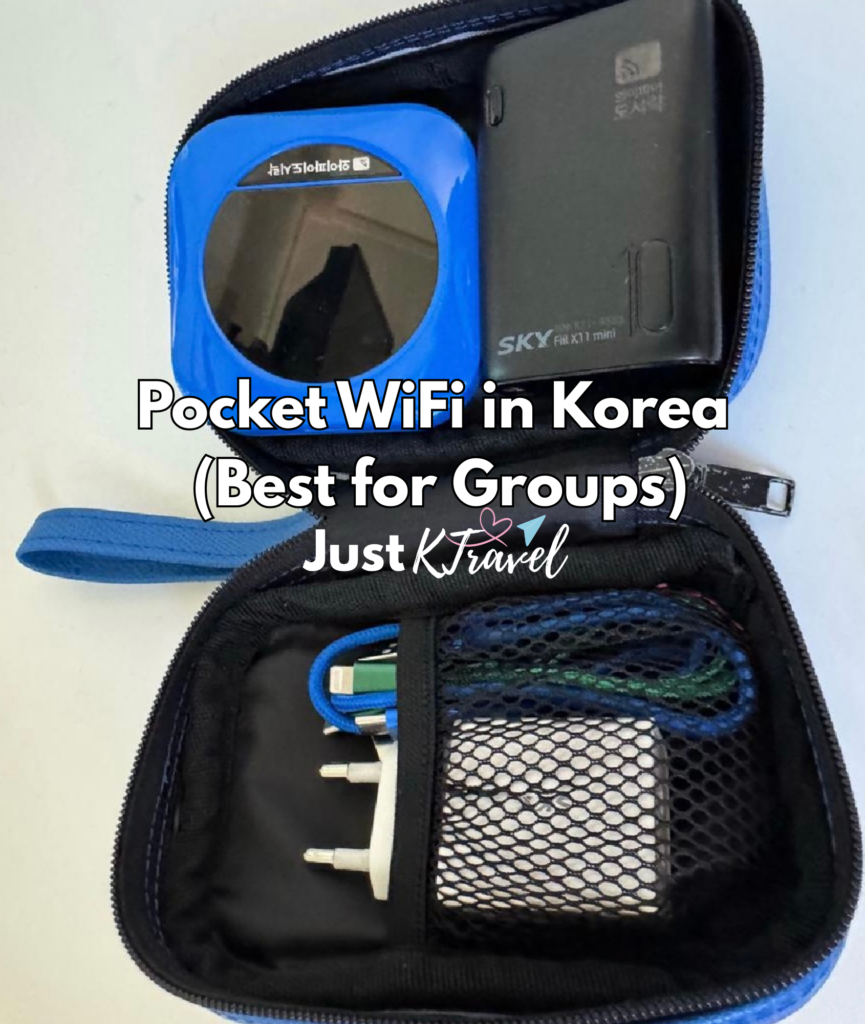
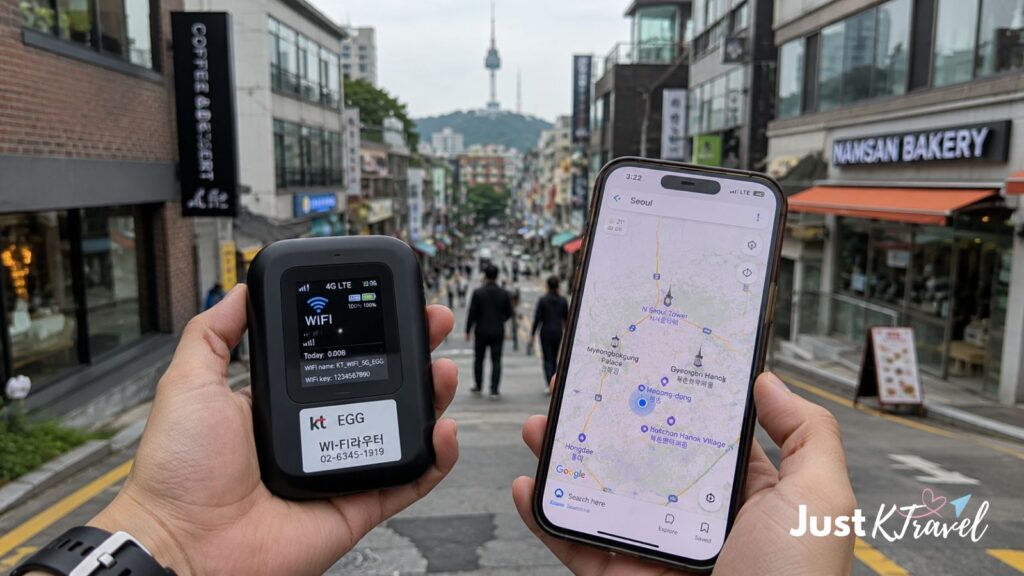
A Korea pocket WiFi is a portable device that allows multiple people to share one internet connection.
Instead of everyone buying their own SIM card or eSIM, families, couples, and groups can share one device, which can sometimes be more affordable.
For group trips, choosing the right accommodation area also helps make your trip easier since staying near transportation saves time when exploring.
📍 Seoul: Best Areas to Stay in Seoul for First-Time Visitors (2026 Guide)
📍 Busan: Best Areas to Stay in Busan for Solo Travelers (Honest Guide + Best Areas 2026)
Why Choose Pocket WiFi?
✅ Share with multiple people
One device can connect several smartphones, tablets, or laptops.
For example, a family of four can share one pocket WiFi instead of purchasing separate data plans.
✅ No phone compatibility issues
You don’t need to check if your phone supports eSIM. Simply connect your devices to the WiFi.
✅ Great for multiple devices
Pocket WiFi is useful if you travel with:
Smartphones
Tablets
Laptops
Multiple devices
Best For:
Families
Groups of friends
Couples sharing costs
Travelers with multiple devices
Things to Consider Before Renting Pocket WiFi
🔋 Daily charging required
Like your phone, the device needs to be charged every day.
📡 Stay close to the device
If one person carries it and the group separates, others may lose internet access.
🎒 Extra item to carry
You will need to carry and return an additional device during your trip.
For solo travelers, an eSIM or physical SIM card is usually more convenient, but for groups, pocket WiFi can be a practical and cost-effective choice.
Recommended Korea Pocket WiFi Rental
If you are traveling with family or friends, a pocket WiFi can be a practical option.
Many travelers reserve online and collect their device at Incheon Airport before heading to Seoul.
👉 Compare Korea Pocket WiFi rental options on Klook
Pocket WiFi Pros and Cons
Advantages | Disadvantages |
Connect multiple people | Requires daily charging |
Great for families/groups | Extra device to carry |
No phone compatibility issues | Internet stops if separated |
Can connect multiple devices | Must return device |
Cost-effective for groups | Less convenient for solo travelers |
SIM Card vs eSIM vs Pocket WiFi Korea Comparison Table
Feature | |||
Setup | Digital activation | Insert SIM card | Pick up device |
Airport pickup | ❌ No | ✅ Usually available | ✅ Required |
Best for | Solo travelers | All travelers | Groups |
Multiple users | ❌ No | ❌ No | ✅ Yes |
Phone compatibility | Requires eSIM support | Works with most unlocked phones | Works with all WiFi devices |
Extra device | ❌ No | ❌ No | ✅ Yes |
Charging needed | ❌ No | ❌ No | ✅ Yes |
Convenience | ⭐⭐⭐⭐⭐ | ⭐⭐⭐⭐ | ⭐⭐⭐ |
Which Korea Internet Option Should You Choose?
Choose eSIM if:
✅ You travel alone
✅ You have a newer smartphone
✅ You want internet immediately after landing
✅ You do not want to visit an airport counter
My recommendation: This is the best choice for most tourists.
Choose Physical SIM Card if:
✅ Your phone does not support eSIM
✅ You prefer a traditional SIM card
✅ You want a simple setup
✅ You are staying longer in Korea
👉 Check Korea SIM Card options and airport pickup
Choose Pocket WiFi if:
✅ You travel with family or friends
✅ Several people need internet
✅ You want to share one connection
✅ You carry multiple devices
How Much Does the Internet Cost in Korea?
Prices depend on the provider, travel duration, and data amount.
Typical tourist options include:
Option | Common Travel Duration | Best For |
3–30 days | Solo travelers | |
5–30 days | Longer stays | |
Daily rental | Groups |
Booking online before your trip is often more convenient because you can prepare everything before arriving.
Helpful Tips Before Getting Internet in Korea
1. Download Important Apps Before Your Flight
Before arriving, install:
📍 Naver Map – Best navigation app in Korea
📍 KakaoMap – Alternative map option
📍 Papago – Korean translation app
📍 Kakao T – Taxi app
These apps are much easier to use with mobile data.
2. Do Not Rely Only on Free WiFi
Korea has excellent public WiFi, especially in:
Cafes
Hotels
Subway stations
Airports
Shopping malls
However, when walking around neighborhoods, visiting attractions, or taking transportation, having your own connection is much more convenient.
3. Set Up Internet Before Leaving Home
My biggest recommendation is:
Do not wait until you arrive in Korea if you can avoid it.
After a long flight, the first thing most travelers want is:
Directions to their hotel
Transportation information
A way to contact accommodation
Having the internet ready makes your arrival day smoother.
Frequently Asked Questions About Korea SIM Cards, eSIM & Pocket WiFi
Is WiFi free everywhere in Korea?
South Korea has excellent public WiFi, especially in major cities.
However, free WiFi is not always available when you need it. For travelers, having a SIM card, eSIM, or pocket WiFi is more reliable for navigation and communication.
Can I buy a SIM card at Incheon Airport?
Yes. Tourist SIM cards and pocket WiFi rentals are available at Incheon International Airport.
However, many travelers prefer booking online before arrival to save time.
Is eSIM better than a SIM card in Korea?
For most travelers with compatible phones, yes.
An eSIM is easier because you can activate it before arriving and keep your original SIM card.
However, physical SIM cards remain a good option for travelers with older devices.
Does Korea have unlimited data plans for tourists?
Yes. Many tourist SIM cards and eSIM providers offer unlimited data plans.
Always check the provider’s conditions because some plans may reduce speed after heavy usage.
Will my phone work in Korea?
Most modern smartphones work in Korea if they are unlocked.
Before buying a plan, check:
Your phone is unlocked
Your device supports eSIM if needed
Your phone model supports Korean networks
Do I need internet for traveling in Korea?
Technically, no.
But realistically, having internet makes traveling much easier.
You will likely use data for:
Navigation
Translation
Restaurant searches
Online bookings
Transportation apps
Messaging
Final Thoughts: The Best Internet Option for Korea Travel
After traveling around Korea many times and now living here, I believe the best choice depends on your travel style.
For most solo travelers visiting Korea in 2026, I recommend an eSIM because it is simple, convenient, and lets you connect immediately after landing.
For families and groups, Pocket WiFi can be a better value because everyone can share one connection.
For travelers with older phones or anyone who prefers a traditional setup, a physical SIM card remains a reliable choice.
Whichever option you choose, arranging your internet before arriving in Korea will make your first day much easier and allow you to focus on enjoying your trip.
Continue Planning Your Korea Trip
Once you have your internet connection ready, the next step is preparing the rest of your Korea trip. These guides can help you plan your arrival, transportation, accommodation, and daily travel more easily:
✈️ Arriving in Korea
👉 How to Get from Incheon Airport to Seoul (2026 Guide to Airport Transfer Options)
🇰🇷 First-Time Korea Planning
👉 First Time in South Korea: Complete Beginner Travel Guide (2026)
💳 Money & Payments in Korea
👉 How Much Money to Bring to Korea (2026 Budget Guide)
👉 Best Place to Exchange Money in Korea: Airport vs Myeongdong vs ATM (2026 Guide)
👉 Cash vs Card in Korea: What Most Travelers Actually Use (2026 Guide)
🚇 Getting Around Korea
👉 T-money Card vs Climate Card Seoul: Which Transportation Card Should You Buy? (2026 Guide)
⚠️ Avoid Common Travel Mistakes
👉 20 Common Tourist Mistakes in Korea (Avoid These!)
🏨 Where Should You Stay in Korea?
After arranging your internet connection, choosing the right accommodation is the next important step.
For first-time visitors, I recommend staying in a convenient area with easy transportation. A good location means less time commuting and more time exploring.
Popular areas:
Seoul
Myeongdong – shopping and first-time visitors
Hongdae – cafes, nightlife, and local atmosphere
Insadong – traditional culture and sightseeing
👉 Best Areas to Stay in Seoul for First-Time Visitors (2026 Guide)
Busan
Haeundae – beaches and attractions
Seomyeon – central location and transportation
👉 Best Areas to Stay in Busan for First-Time Visitors (2026 Guide)
Traveling alone? Choosing a safe and convenient neighborhood can make your trip much easier.
👉 Where to Stay in Seoul Alone (2026): Best Budget Solo Accommodation Guide
👉 Where to Stay in Busan for Solo Travelers (Honest Guide + Best Areas 2026)
I recommend checking hotel locations before booking. A slightly better location can save you time and transportation costs.
👉 Find Hotels in Seoul
👉 Find Hotels in Busan
👉 Find Hotels in Jeju
Other Useful Korea Travel Guides :
- 🌸 4-Day Seoul Glowcation Itinerary 2026 (K-Beauty, Wellness & Nami Island Guide)
- 🇰🇷 Your First 24 Hours in Seoul (2026 Step-by-Step Survival Guide for First-Time Travelers)
- 🇰🇷 What Korean Snacks Should You Bring Home? (2026 Ultimate Guide)
- 🇰🇷 11 Korean Street Foods First-Time Visitors Should Try (Seoul, Busan & Jeju Guide)
FREE Seoul and Busan Itinerary for you:
About the Author:
Hi, I’m Richelle, the creator of Just KTravel and currently based in South Korea.
Before moving to Korea, I visited the country multiple times as a traveler. Now, I share practical Korea travel guides, seasonal updates, transportation tips, and destination recommendations to help visitors plan their trips more easily.
Whether you’re visiting Korea for the first time or returning for another adventure, I hope these guides help you travel with more confidence and less stress.
Need Help Planning Your Korea Trip?
Have questions about visiting Korea?
Join our Korea Travel Facebook Group, where travelers share experiences, ask questions, and exchange tips about transportation, accommodations, itineraries, and seasonal travel in South Korea.
Disclosure: This post contains affiliate links to experiences I personally use and trust. If you book through them, I may earn a small commission at no extra cost to you.
Pingback: 10 Cherry Blossom Walks in Seoul (Local Favorite Spots 2026 Guide) South Korea Cherry Blossom Forecast below! - justktravel.com
Pingback: First Time in South Korea? Complete Beginner Travel Guide (2026) - justktravel.com
Pingback: Budget-Friendly Solo Accommodation Guide in Seoul - justktravel.com
Pingback: How to Get from Incheon Airport to Seoul (2026 Guide to Airport Transfer Options) - justktravel.com
Pingback: Best Areas to Stay in Seoul for First-Time Visitors (2026 Guide) - justktravel.com
Pingback: Is Seoul Expensive? Real Travel Costs for 2026 (Hotels, Food, Attractions & Transport) - justktravel.com